
This comprehensive guide will help you install, set up, and customize your Tinyplay Pro theme to create a professional and engaging website for your Tinyplay pre school.
Tinyplay Pre school Pro Theme Documentation
Introduction
This kit is designed to help you create a modern, professional, and user-friendly home cleaning website with ease. Whether you offer residential cleaning, deep cleaning, move-in/move-out services, or specialized home care, this template kit includes all the essential features to highlight your services and attract new clients effortlessly.
Customizing Your Website
Global Settings
To set global styles:
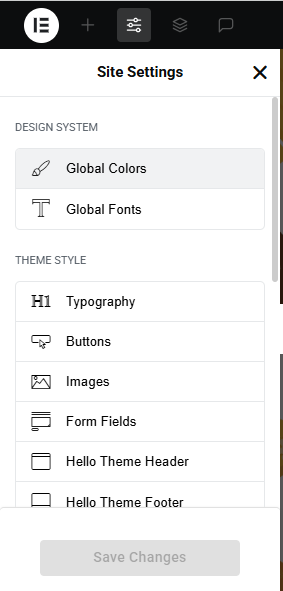
- Go to Elementor > Site Settings.
- Adjust typography, colors, and layout settings.
Header & Footer Setup
- Use Elementor Theme Builder to edit the header and footer.
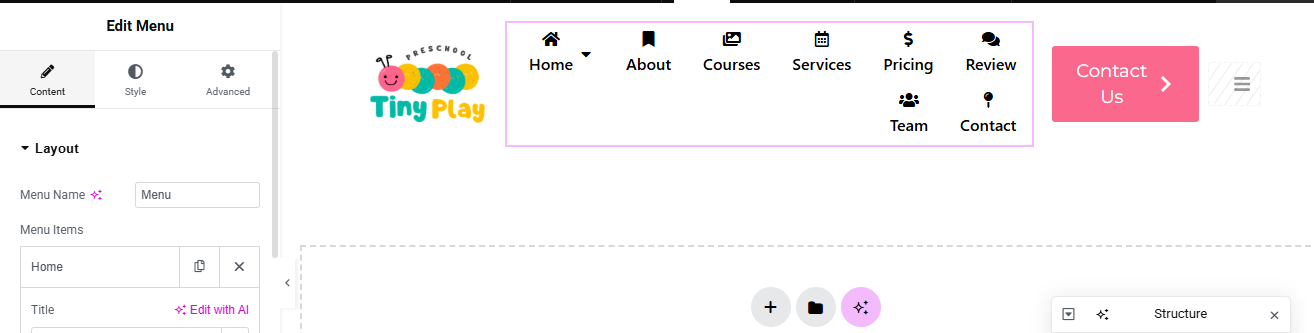
- Customize the navigation menu, logo, and contact details.
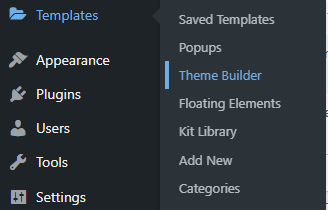
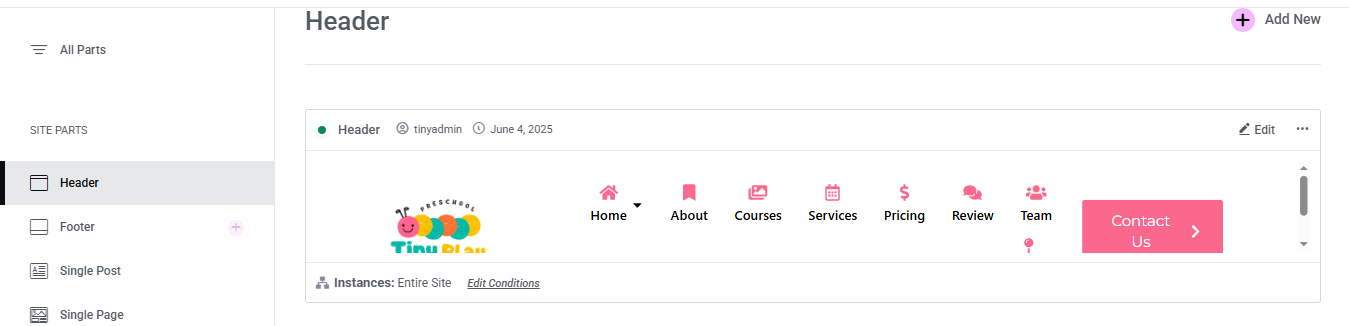
You can drag and drop the elementor widget’s menu first. If you’d like, you can add items or simply drag each one, after which you can add a icon list from the widget and apply a custom style from the style option.
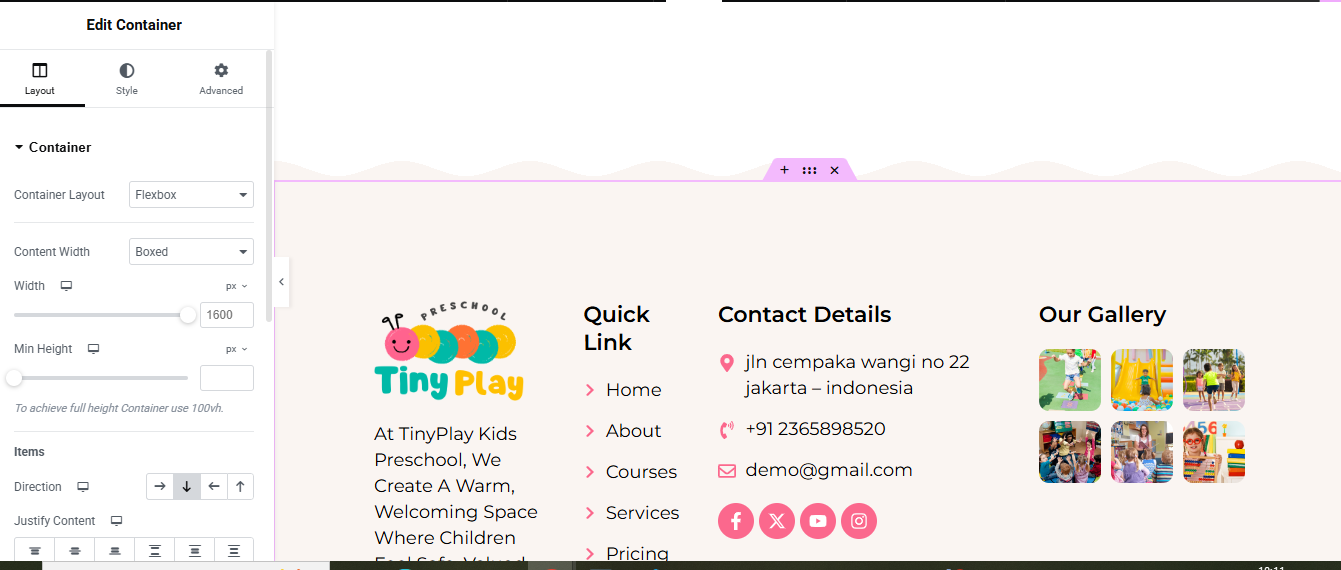
you can add newslatter form, timing, contact details, logo, menu and if you wish in footer, and create you best design.
Home Page Setup
Using Pre-Built Layouts
Navigate to Setting >> Reading
Choose the Static Page option.
Choose an existing homepage or create a new one.
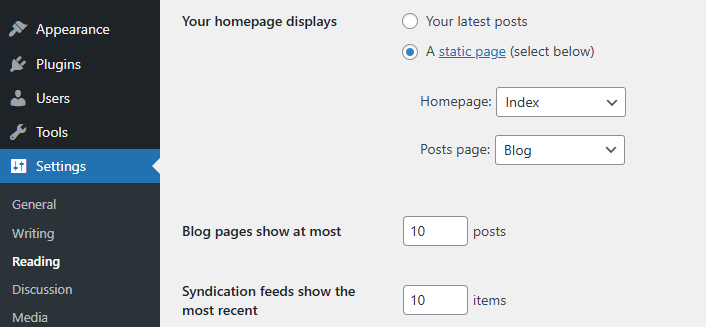
Add The Section in home page using elementor
Add components such as these using the Drag & Drop Builder:
- Hero Section
- category list
- about section
- courses section
- best for your kids
- facility section
- services section
- pricing plan
- Testimonial section
- Our Team
- contact section
- CTA Section
Main Hero Section
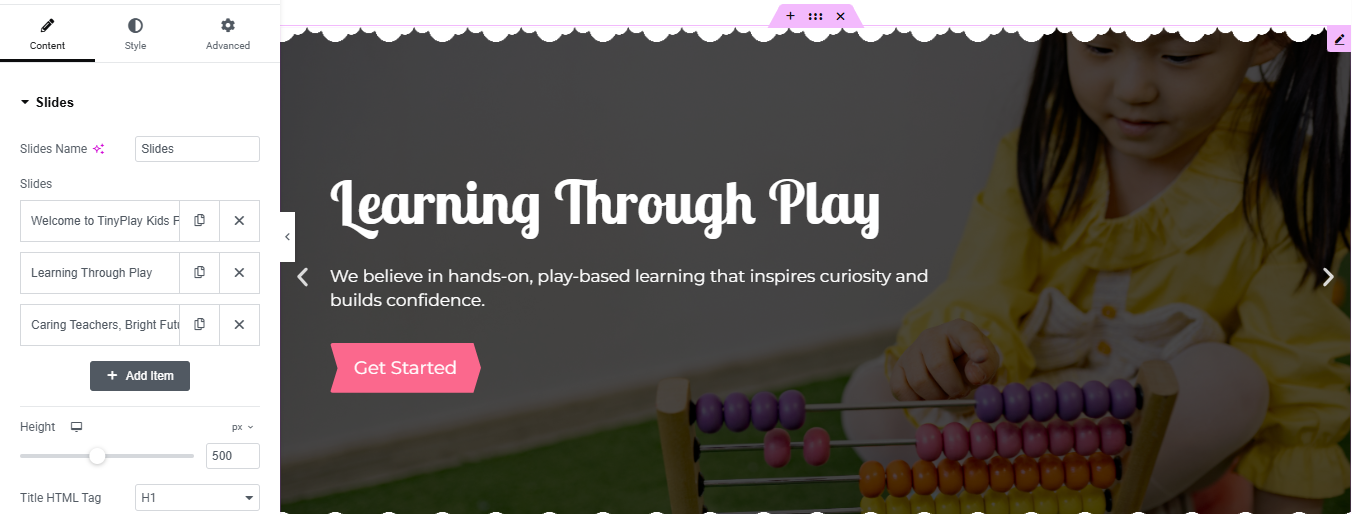
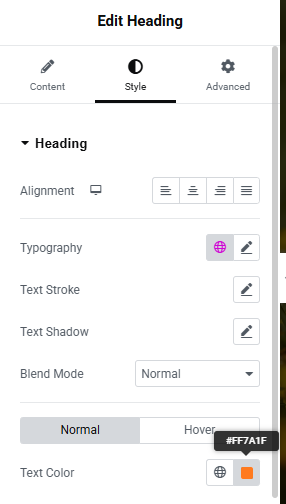
Insert ‘Slides’ Widget
- Drag and drop the Slides widget into the new section.
- This automatically adds a 3-slide carousel layout.
- Adjust Design Settings
- Go to the Style tab:
- Height: Set a value (e.g., 500 px) or change to Fit to Screen.
- Content Position: Center
- Background Overlay: Add a semi-transparent dark color for better text readability.
- Typography: Use playful fonts (like “Baloo” or “Poppins”) to match a preschool theme.
Button Styling: Bright color like pink or blue with rounded edges.
icon List
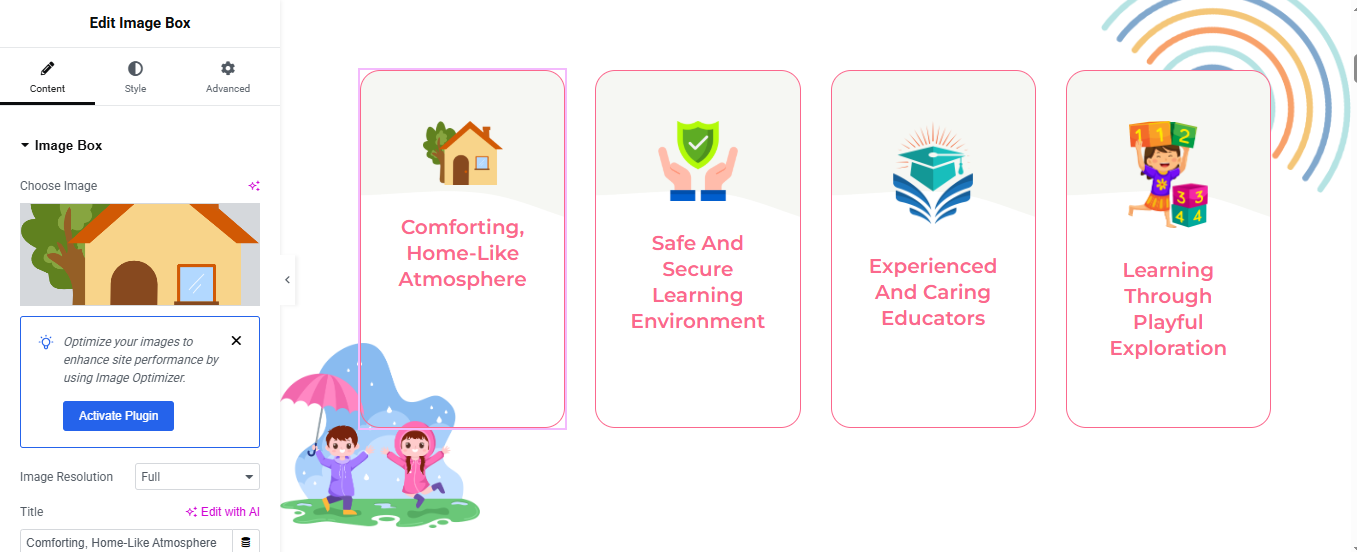
Add Image Box Widgets
- Inside each column, drag and drop the “Image Box” widget from the Elementor panel.
- Customize Image Box (for each column)
- Select each image box and customize the content:
- Click “Choose Image” → Upload or select from the Media Library.
- Set Image Resolution to Full.
- 4. Style the Image Box
- Click on the “Style” tab of the Image Box widget and set:
- Width: 60–80px (adjust based on your layout)
- Text Color: #F9548C or your brand color
- Typography: Adjust font weight and size for better readability
- Border & Box
- Under Advanced → Border, set:
- Border Type: Solid
- Border Radius: 20px (or as per your design)
- Border Color: Light pink or neutral tone (e.g., #FFC1D6)
- Padding: Add padding inside the box (20px)
About Section
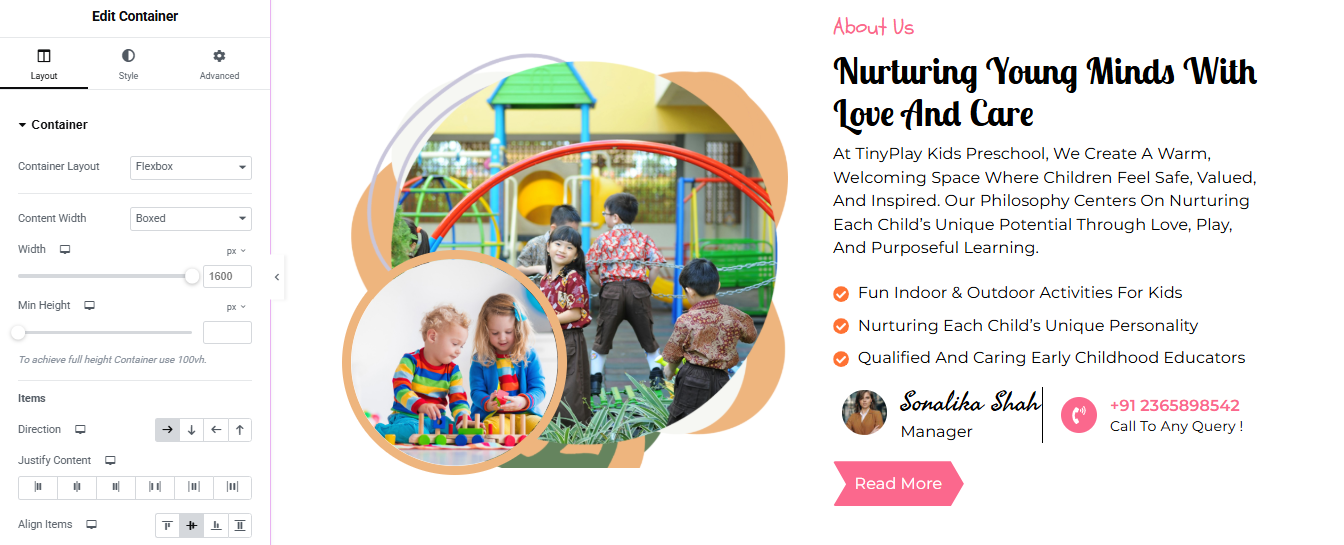
Add a New Section
- Open the Elementor editor.
- Click on the “+” icon to add a new section.
- Choose a two-column layout.
Left Column – Add Image Layer
- Inside the left column:
- Drag in an Image widget.
- Upload or select the image collage (or use 3 image widgets if it’s a custom composition).
- Style it with custom shape dividers or masks (use border radius or Elementor Pro’s mask options).
- Set alignment to center.
Right Column – Add Text Content
- Add a 2 Heading widget
- Set Typography → Weight: Medium, Size: Small, Color: Red or Accent color.
- Add a Text Editor widget:
- Enter the paragraph content about the preschool.
- Add an Icon List widget with 3 bullets:
Step 5: Add Team Info and Contact Button
- Drag an Inner Section below the text.
- In the left column:
- Add an Image widget (profile photo).
- Add a Heading widget with name (e.g., “Sonaksha Shah”).
- Add a Text Editor widget (e.g., “Manager”).
- In the right column:
- Add an Icon Box or Button widget with:
- Add “Read More” Button
Courses Section
Step 1: Add a New Section
- Open the Elementor Editor.
- Click on the “+” icon and choose a single column layout.
- Set the section width to Full Width or Boxed (optional) depending on your design.
Step 2: Add a Heading
- Drag in a Heading Widget.
- Text:
- Center-align the heading.
- Style:
- Font: Fun or educational style font (e.g., Comic, Rounded)
- Size: Large (around 32px+)
- Weight: Bold
- Color: Dark (or theme color)
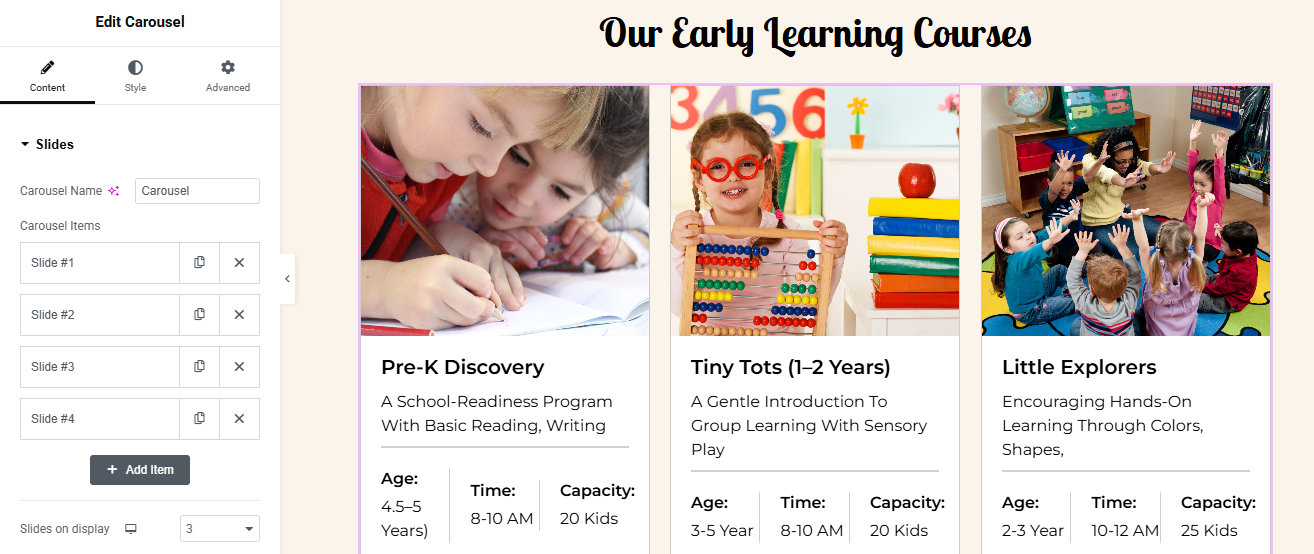
Step 3: Add the Carousel Widget
- Drag in an Image Carousel or Slides Carousel (Elementor Pro required or use “Premium Addons” or “Essential Addons” if you’re using a plugin).
- Make sure you have a carousel widget that supports custom content (image + text).
- Add 3–4 carousel slides, and for each slide:
- Add an image of the course
- Title
- Description
- Bullet-style details:
- Style the Carousel
- Add padding around content
- Set image border radius (rounded corners)
- Add box shadow to cards
- Align text to left or center
- Background: White or light cream
- Space between cards: 20–30px
- Under Advanced → Responsive:
- Set slides on desktop: 3
- Tablet: 2
- Mobile: 1
Best for your kids
Step 1: Create a New Section
- Open Elementor editor.
- Click the “+” icon → Choose a two-column layout.
Step 2: Left Column – Text Content
- Add Top Subtitle
- Drag a 2 Heading widget.
- Text:
- Style:
- Font: Soft or handwritten
- Size: Small (around 18–22px)
- Color: Pink or theme color
- Add Paragraph
- Drag a Text Editor widget.
- Use this text (or your version):
- Style:
- Color: Dark grey
- Line height: 1.6–1.8 for readability
- Add Icon List (3 bullet points)
- Drag an Icon List widget.
- Add these items:
- Add Counters or Stats (optional)
- Add an Inner Section (3 columns).
- In each column, add a Heading widget and Text Editor:
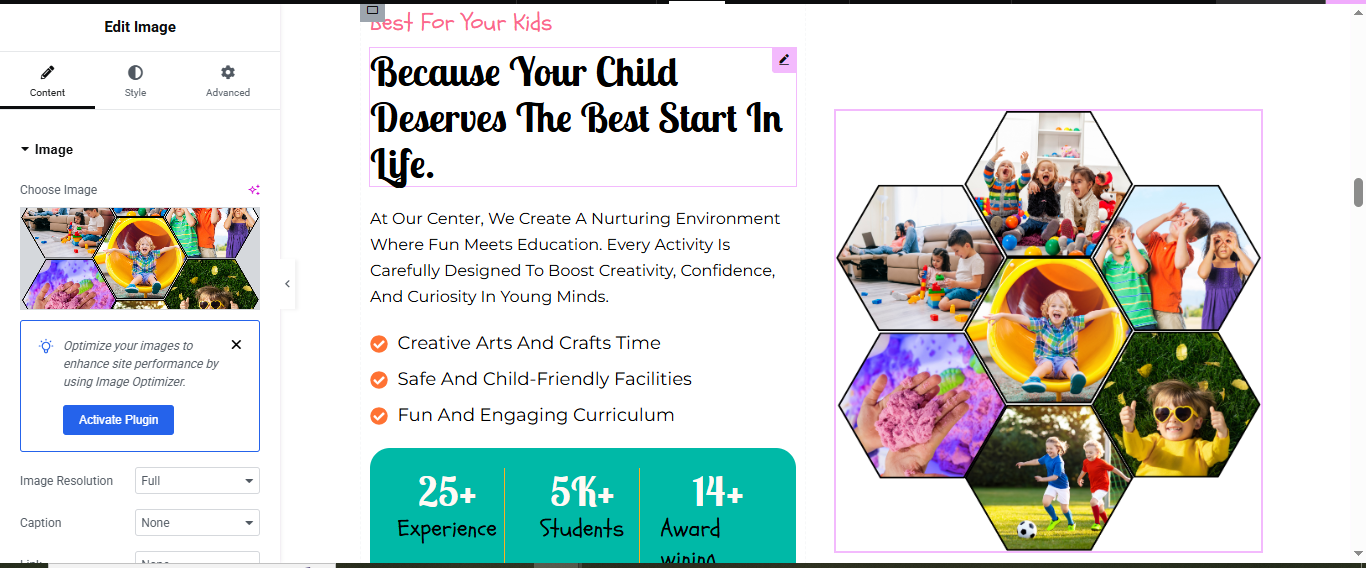
- Use Pre-Designed Image
- From your screenshot, the honeycomb grid is a single image.
- Drag an Image Widget into the right column.
- Upload your pre-designed honeycomb collage (as shown).
- Set:
- Image Resolution: Full
- Alignment: Center
- Border Radius: Optional for smooth corners
- Max Width: 100% or customize
Facility Section
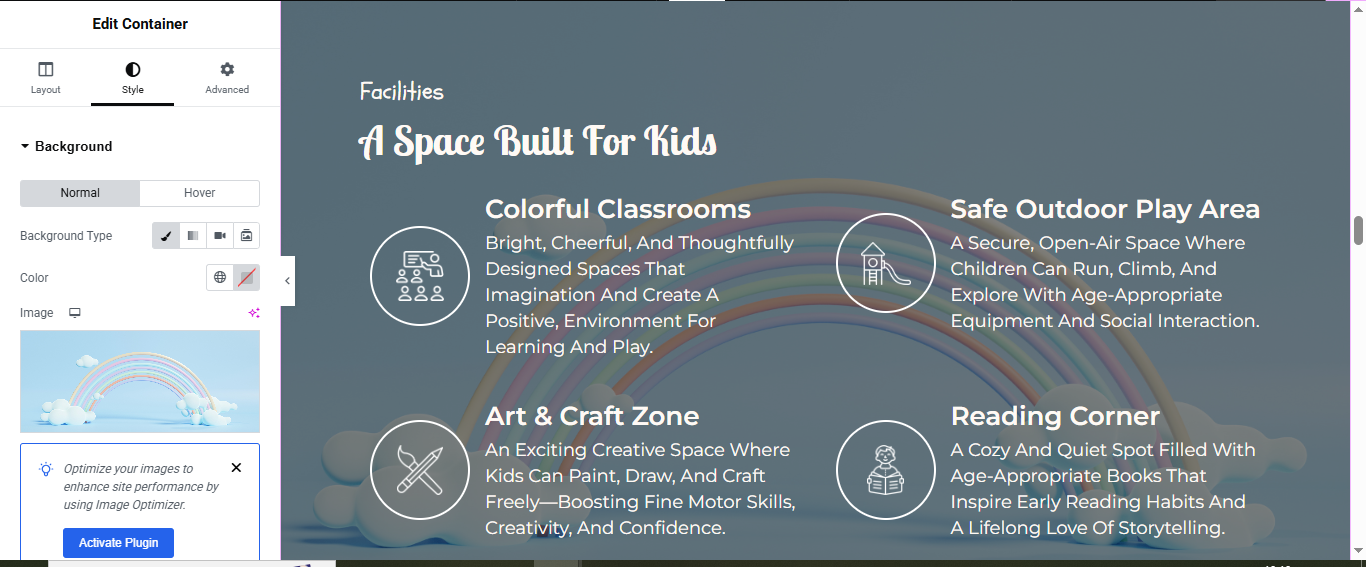
Step 1: Create a New Section
Step 2: Set Background Image
- Click on the section to select it.
- Go to the Style tab → Background.
- Under Background Type, choose Classic.
Step 3: Add Main Titles
- Drag a Heading widget → for the sub-title:
- Style: Small, pink or light color, top-aligned.
- Add another Heading widget → for main title:
- Font: Rounded, playful
- Size: 36–48px
- Alignment: Center or Left
- Color: White or Light
- Create 2×2 Grid Layout for Facilities
Add an Inner Section with 2 columns.
- Duplicate the inner section → now you have 4 columns (2 rows of 2).
Step 5: Add Icon + Title + Description in Each Column
- Icon Box Widget:
- Drag an Icon Box widget into each column.
- Set the icon
- Icon Style:
- Size: 40–60px
- Position: Top
- Border: White circle
- Icon color: White
- Background: Transparent or slight white overlay
- Text Style:
- Title Font: Bold, white
- Description Font: Light gray/white, 16–18px
- Line height:
Services Section
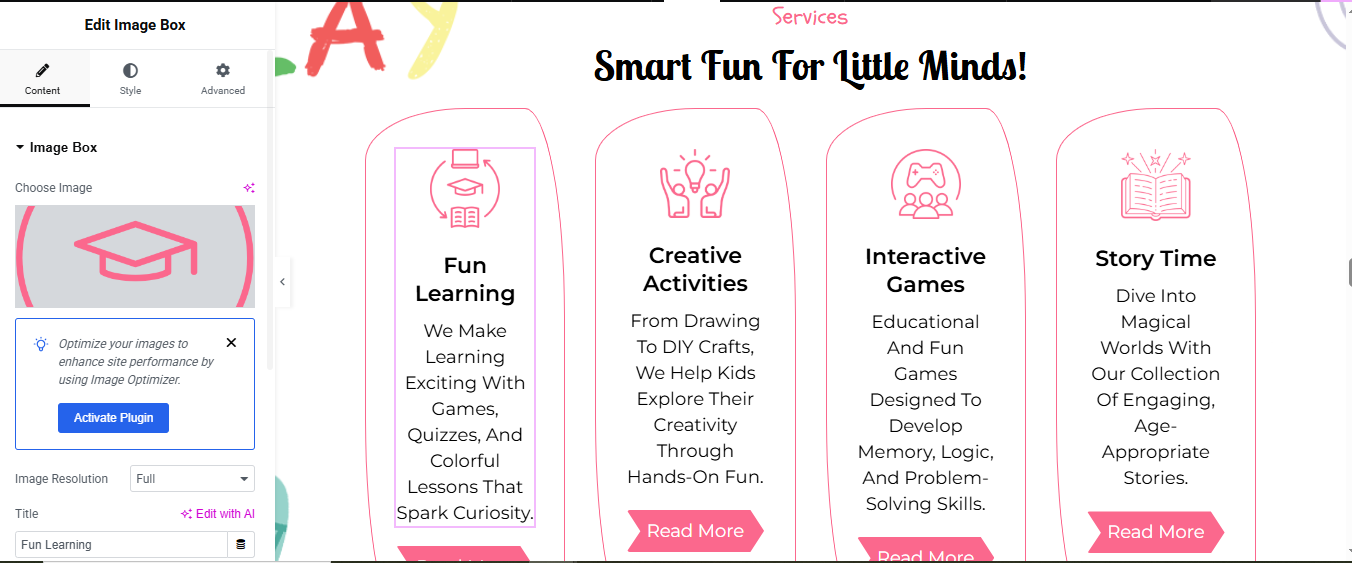
Step 1: Add New Section
Step 2: Add Heading Title
- Drag a Heading widget inside the section.
- Style:
- Font: Bold, playful font
- Size: 36–48px
- Color: Black
- Align: Center or Left
- (Optional) Add a subheading using a Text Editor or Heading widget:
- Font Style: Small, pink color
Step 3: Add Inner Section with 4 Columns
- Drag an Inner Section widget into the main section.
- Set Column count to 4.
- Adjust spacing between columns using
Step 4: Add Image Box Widgets
- Drag an Image Box widget.
- For each image box, do the following:
- Icon/Image: Upload icon (graduation cap)
- Title:
- Description:
- Button:
Step 5: Style Each Image Box
- Click on each Image Box widget → go to Style tab.
- Set Image size: 60–80px.
- Typography for title: Bold, 20–24px
- Description text: 16–18px
- Alignment: Center
- Add Border and Rounded Background
- To get the curved box style:
- Select the Column → Go to Style tab.
- Background → Set color: White or Light
- Border:
Pricing Section
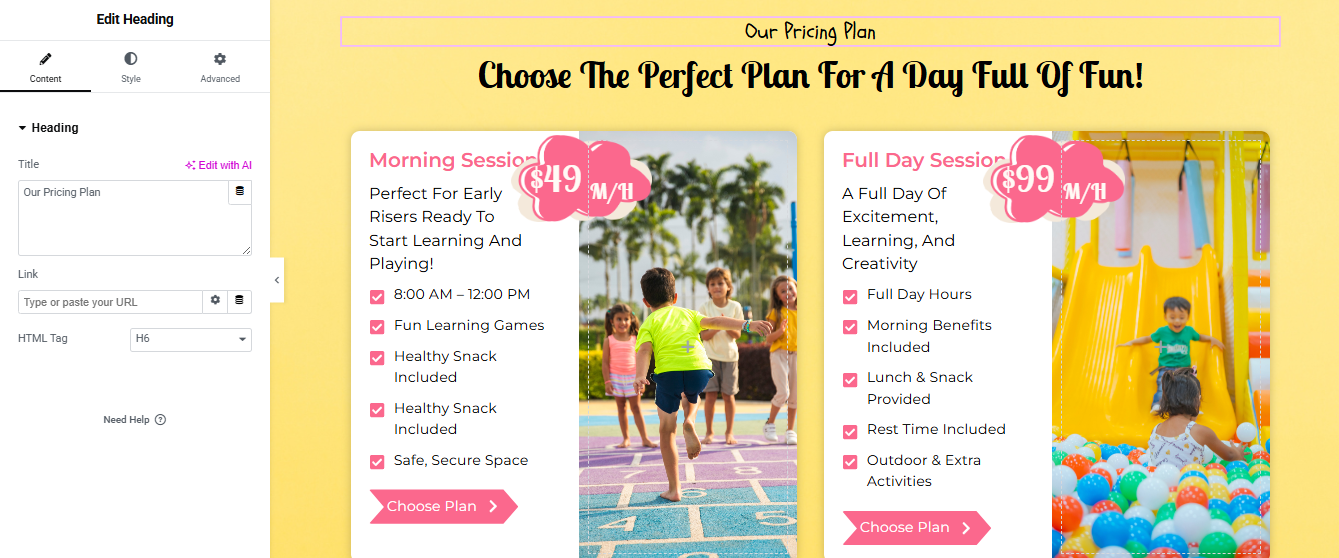
Add a New Section
- Choose 2 columns.
- Add Main Title
- Drag a Heading widget
- Typography:
- Font: Fun/Playful (e.g., Pacifico, Baloo)
- Size: 36–48px
- Color: Black or Dark
- Add Section Subtitle (Optional)
- Drag a Text Editor widget above or below the heading.
Step 4: Add Inner Section with 2 Columns
Step 5: Create Pricing Card (Morning Session)
- Heading Widget
- Text Editor
- Icon List → Add features:
- Button Widget
- Style:
- Background color: White
- Padding: 20–30px
- Border Radius: 30px
- Box Shadow: Subtle shadow
- Font Colors: Pink (headings), black (text), white (button)
- Button: Pink background with white text & arrow
Background Setup
- Click on the main section → Go to Style tab.
- Set Background Color: Light Yellow
Testimonial Section
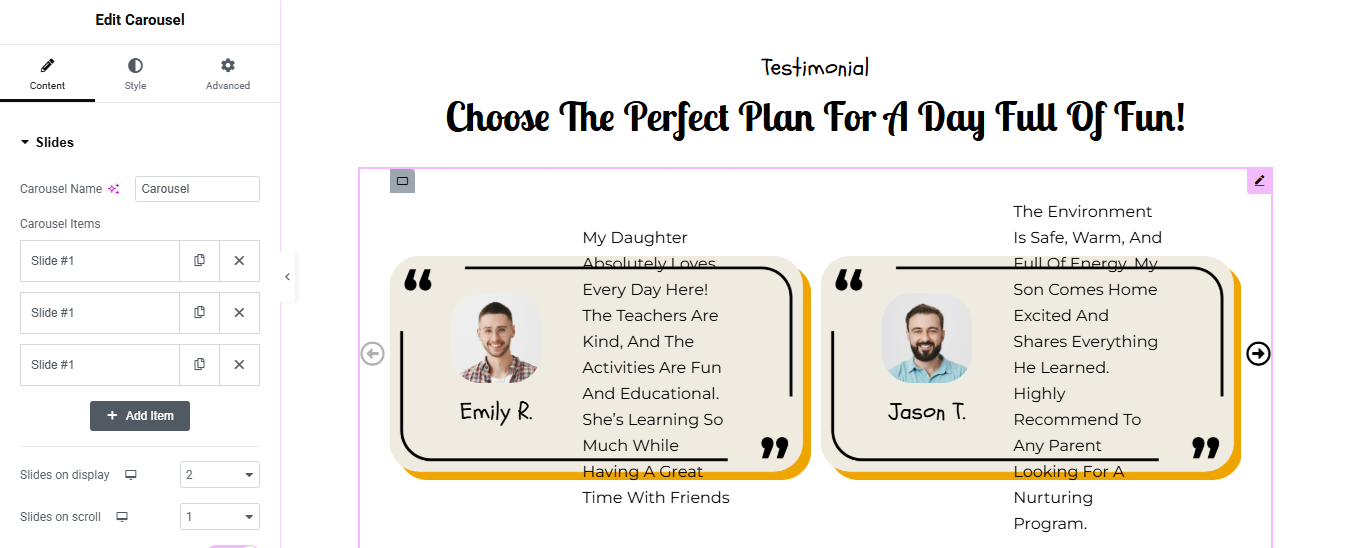
Add a New Section
- Add a Heading
- Drag a Heading widget into the section.
- Align: Center
- Typography:
- Font: Fun/child-friendly (like Baloo, Pacifico)
- Size: 36–48px
- Color: Black
- Add Carousel Widget
- Drag the Slides or Carousel Widget
- In the Content > Slides panel:
- Click Add Item to add new testimonials.
- Add a minimum of 3–4 slides.
- Configure Each Testimonial Slide
- image
- name
- review text
- quotation icons
Carousel Settings
- Slides on Display: 2 (as per your screenshot)
- Slides to Scroll: 1
- Autoplay: Enable (Optional)
- Navigation: Arrows enabled (as seen on both sides)
Style the Carousel
- Box Background:
- Light cream or beige
- Padding: 30–40px
- Rounded Corners: 30–40px
- Box Shadow: Soft shadow
Team Section
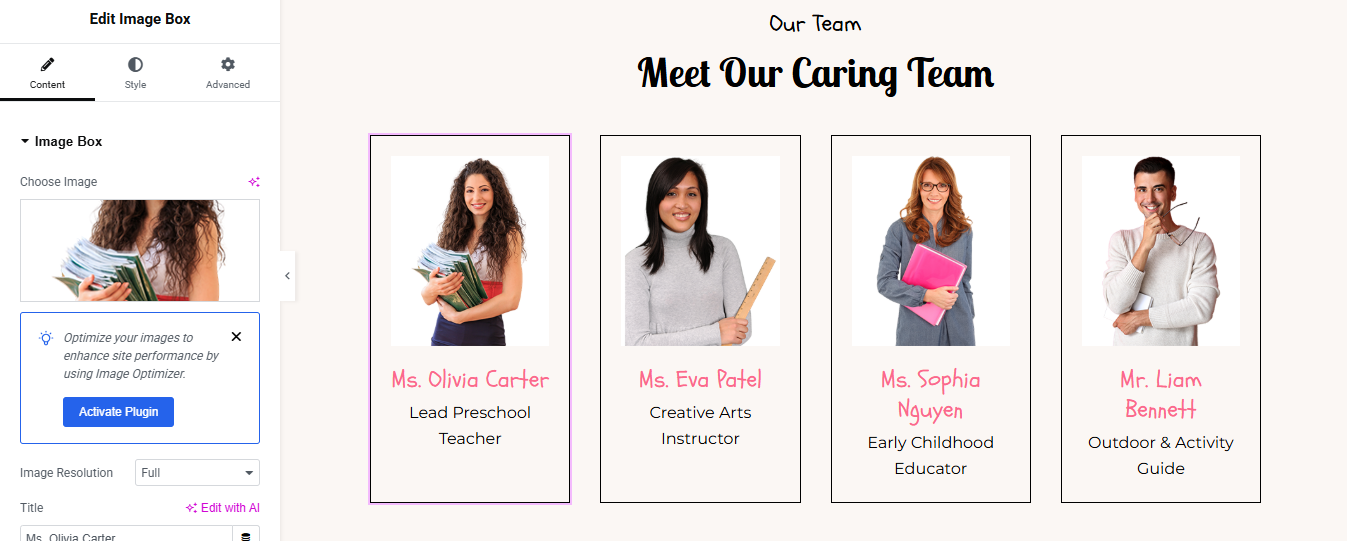
Step 1: Add a New Section
Step 2: Add Section Title
- Drag a Heading widget
- Set the content:
- Subtitle:
- Main Title:
- Style:
- Align: Center
- Font: Playful or clean (like Pacifico, Baloo, Poppins)
- Size: 36–48px for the title
- Color: Black for title, lighter gray or pink for subtitle
- Add Image Box Widget for Each Team Member
- Configure each Image Box:
- Choose Image: Upload a team member’s photo.
- Title: Name
- Description: Role
- Style the Image Box
- Image:
- Title Style:
- Font: Handwritten or friendly font
- Size: 18–22px
- Color: Pink or Theme Primary
- Description Style:
Duplicate for More Members
- Right-click each Image Box and click Duplicate to copy styles.
- Replace image, name, and role for each team member.
Contact Section
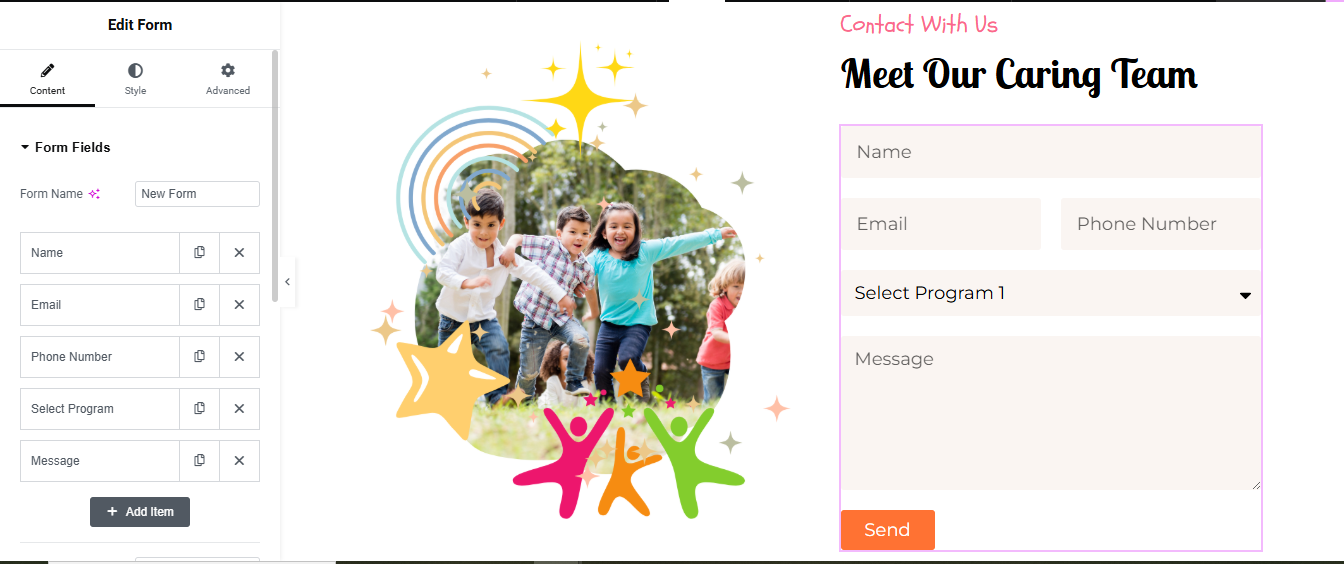
Contact Section (Left Form + Right Map)
- Add a New Section → Choose 2-column layout (50/50 or 60/40)
right Column: Add Contact Form
- Drag Form widget
- Fields: Name, Email, Message
- Add Send button
left Column: Add image widget
- Drag image widget
- Style the image
- align: center
- width: full width
The TinyPlay Preschool website template is thoughtfully designed to help early childhood education centers create a fun, engaging, and trustworthy online presence. With its vibrant visuals, easy-to-navigate layout, and child-friendly design, this template is perfect for showcasing your programs, staff, testimonials, and enrollment details. Whether you’re running a daycare, preschool, or learning center, TinyPlay makes it simple to connect with parents and build confidence in your services. Start creating a nurturing and joyful digital space that reflects your passion for early learning with TinyPlay today!